
Field guide
Which game opens here?
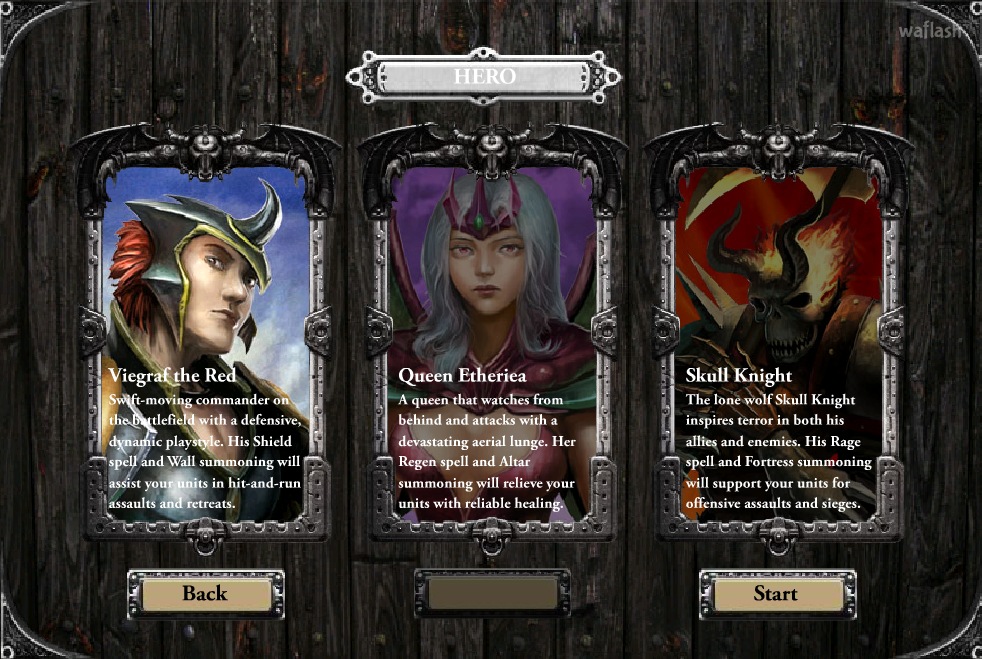
The Age of War 5 listing on Play-Games opens Epic War 5: Hell’s Gate. Look for a hero selection screen when the game starts. The three portraits are a better way to recognize this version than the number on a game portal. If you remember two caves on opposite sides of the screen and an evolution button, open the original Age of War.
Choose a campaign hero
The opening choice offers Viegraf the Red, Queen Etheria and the Skull Knight. Pick a hero, then look through the actions and units available to that character before sending the army forward. Heroes have different powers. A walkthrough recorded with another character may show different options even when both players are on the same stage.
What to watch during a battle
Keep track of the hero as well as the troops. Sending the army ahead and sending the hero with it are different commitments. Watch where the first units encounter resistance before bringing the hero into the same part of the field. If the fight stalls, check the available commands and the position of your army before making another advance.
The campaign map separates one encounter from the next. After a successful fight, return to the map and inspect the next available battle. In the original Age of War, progression happens through changing eras during one fight. Here your place in the campaign and your choice of hero are the details to note when comparing strategies.
Move the camera before giving a charge order
Use the left and right arrow keys, or A and D, to look along the battlefield. Moving the view lets you inspect what is ahead while the army stays under its existing orders. Find the front of the friendly group, then check where the hero is in relation to it. When a fast group has gone ahead, looking only at the hero can hide the encounter that is about to decide whether the advance succeeds.
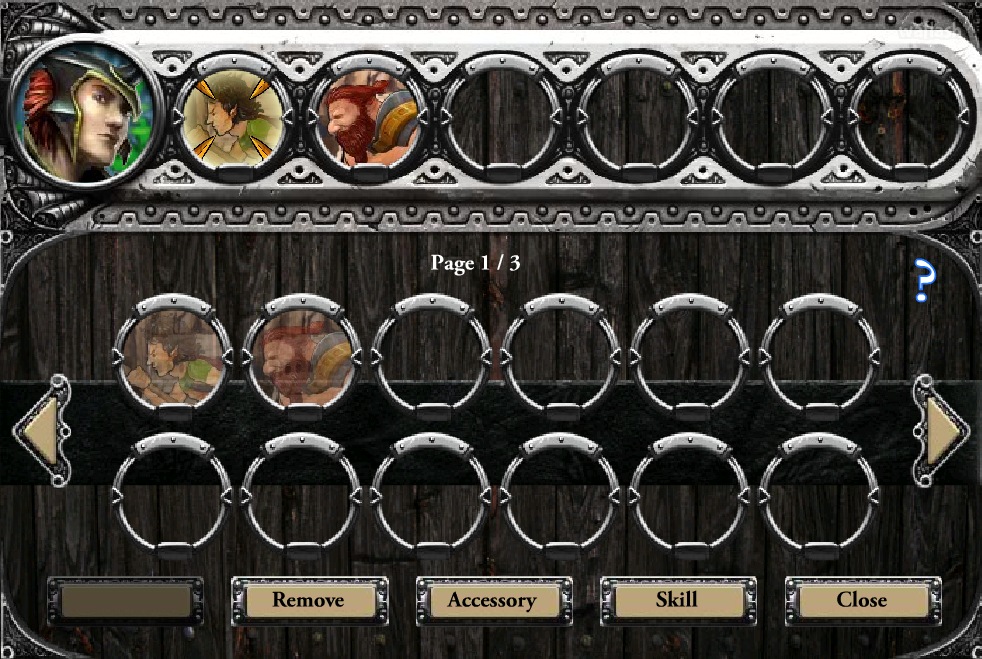
The selection shortcuts make that distinction easier to manage. C selects the units. V includes the hero as well. Decide which group you intend to expose before issuing a movement order. If you only want the army to move while the hero stays back, check the selection before committing. Escape clears it so that the next command starts from a known state. Number keys one through seven let you work with individual unit groups.
Bring a group back without abandoning the whole advance
X orders a charge and Z orders a retreat. For a more selective move, choose a group and use N to advance or B to fall back where that group supports the command. This matters when one part of the army is in trouble and the rest still has a good position. Pulling everyone out can surrender ground that your healthy units could have held. Sending everyone forward can expose the hero to a fight the front group could have handled alone.
Try learning the controls at ordinary speed before using the speed-up option. Press P to pause when you need to review a situation, and use the camera to keep track of a fight that spreads out. If a shortcut seems unresponsive after you used the page’s share or fullscreen control, click back inside the game first. Keyboard focus can remain on the surrounding web page.
Protect the hero when committing a spell
The hero has to survive the encounter. Before placing a spell, look at the hero’s position as well as the target. Space confirms unit or spell placement. A promising target farther up the field is a poor reason to lose sight of an exposed hero. The escape command, S, gives you a way to respond when the hero needs to pull away.
After the battle, take stock of which units were actually involved in the decisive exchange. A large group waiting at the back cannot benefit much from an upgrade if the next attempt repeats the same movement orders. Consider changing the order or timing first. When comparing campaign notes, include the hero, stage and group that needed to retreat. Those details tell another player much more than the number in the portal title.
For a battle that advances through historical eras, try Age of War 2.
Game questions
Which game is listed here as Age of War 5?
Epic War 5: Hell’s Gate. Its hero selection screen leads into the campaign.
How do I select the army without moving the hero?
Press C to select the units. Press V when you want the hero included too.
Can I pause the battle?
Press P while the game has keyboard focus. Click inside the player first if the page controls have focus.